
Problem
SMARTdiagnostics had great tools for discovering machine health problems, but barely any for reporting, communicating, and tracking them through remediation. These gaps limited the software to being a tool for data analysis rather than a machine health management platform.
Desk would need to help users manage machine health problems and provide the foundation for DeskAI, which uses KCF’s AI models to detect machine problems and generate Issues.
My role
I collaborated with another UX designer on research and owned end-to-end design, working with the Technical Product Owner, engineering, QA, and the Machine Learning team to refine and ship Desk for KCF Technologies’ flagship enterprise product.
Impact
Successfully laid groundwork for adoption of DeskAI model-created Issues
20% increase in SMARTdiagnostics daily active users 1 month after Desk release
8x ROI within the first year when using Desk
>50% reduction in unplanned downtime when using Desk
Process
Learning about engineering workflows and needs
Described as “the most important thing we will develop over the next several years,” Desk was what I worked on upon joining KCF.
I visited three customer plants and conducted contextual inquiry sessions with 11 industrial engineers. Using a discussion guide I collaborated on with another UX designer, I learned about engineers’ daily routines, work environments, team structures, use of SMARTdiagnostics, and which steps happen outside the software.
Key Insights
Communication wasn’t centralized. Teams had no centralized place to discuss problems and coordinate remediation.
Supporting evidence was essential. Engineers needed relevant data and context to understand an Issue.
Vibration-analysis was a niche skill. Not every team member was able to interpret machine health data.
Issue information could be standardized. Common data categories could make Issues more consistent and easier to understand.
Engagement varied by role. Team members used SMARTdiagnostics differently depending on their responsibilities.
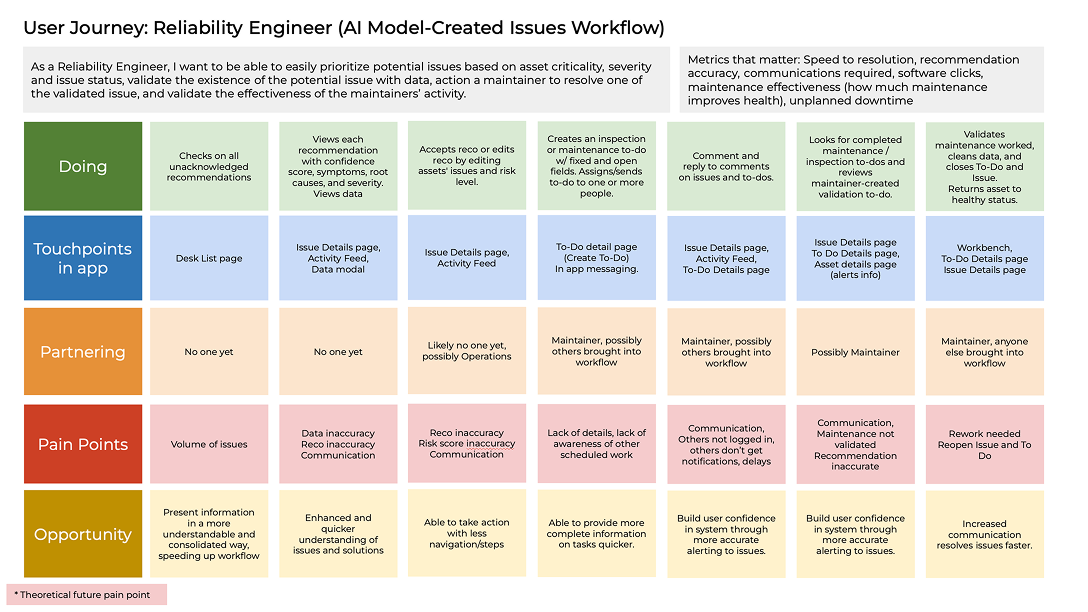
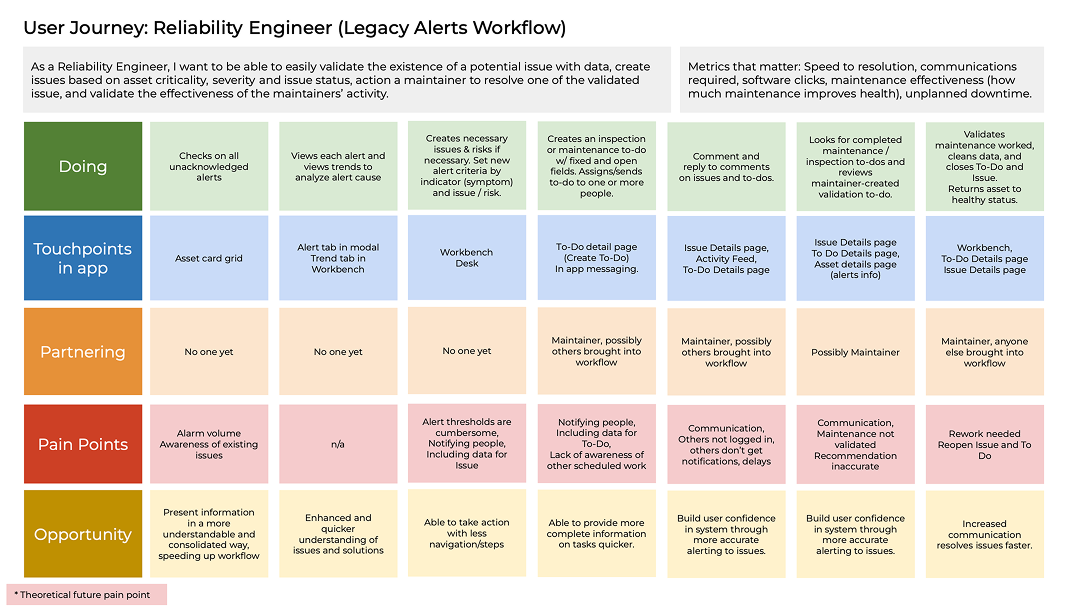
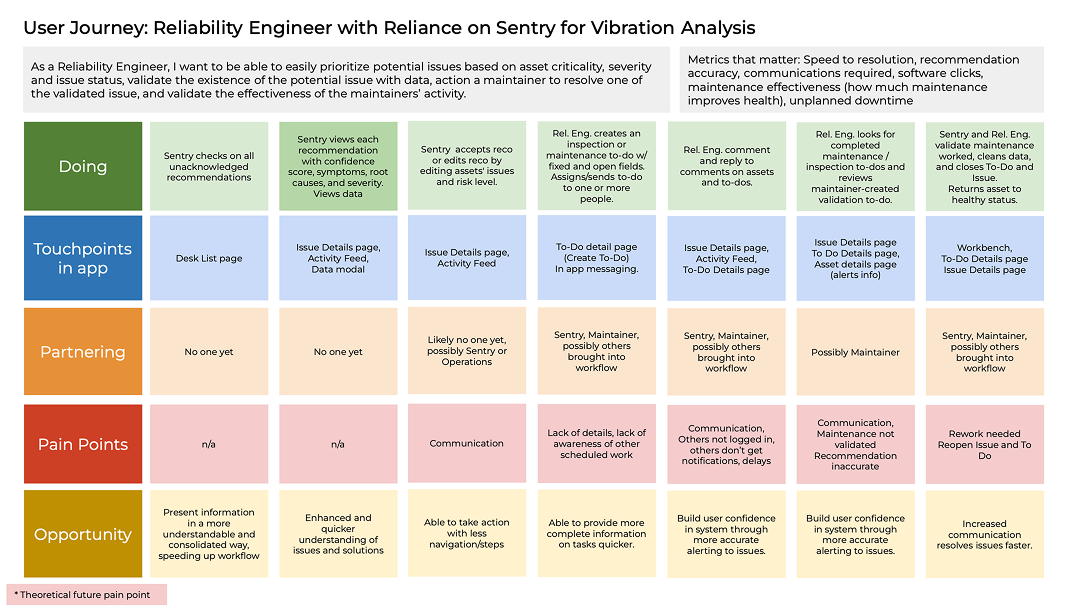
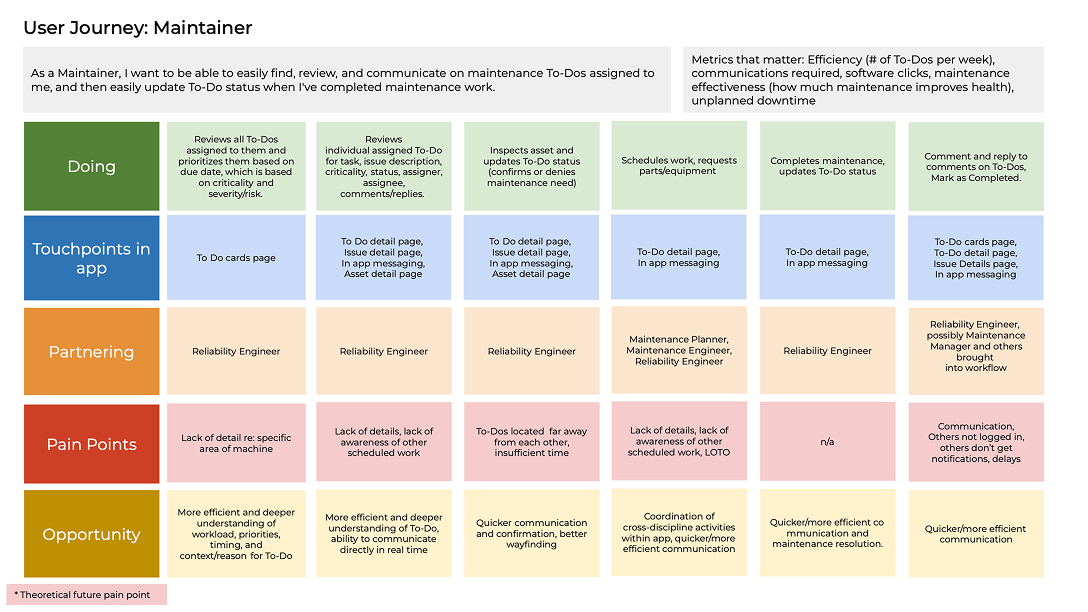
I translated these insights into future-state journey maps for issue creation and remediation, identifying how Desk could support common workflow steps within SMARTdiagnostics. I shared the maps with stakeholders and teammates for clarity and alignment.
Create Issue flow
I also created a flow diagram covering Desk’s AI-generated and user-created Issues. This helped me visualize and define the necessary pages, navigation, and functionality across the two creation paths.
Initial ideas
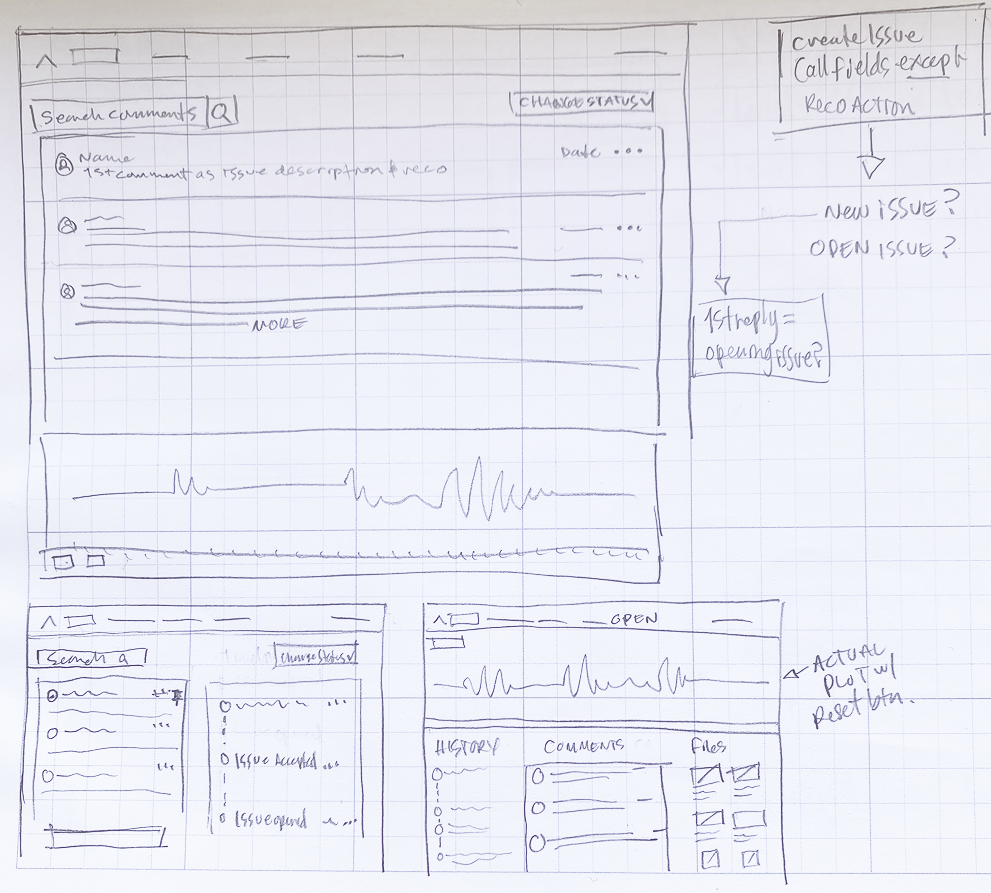
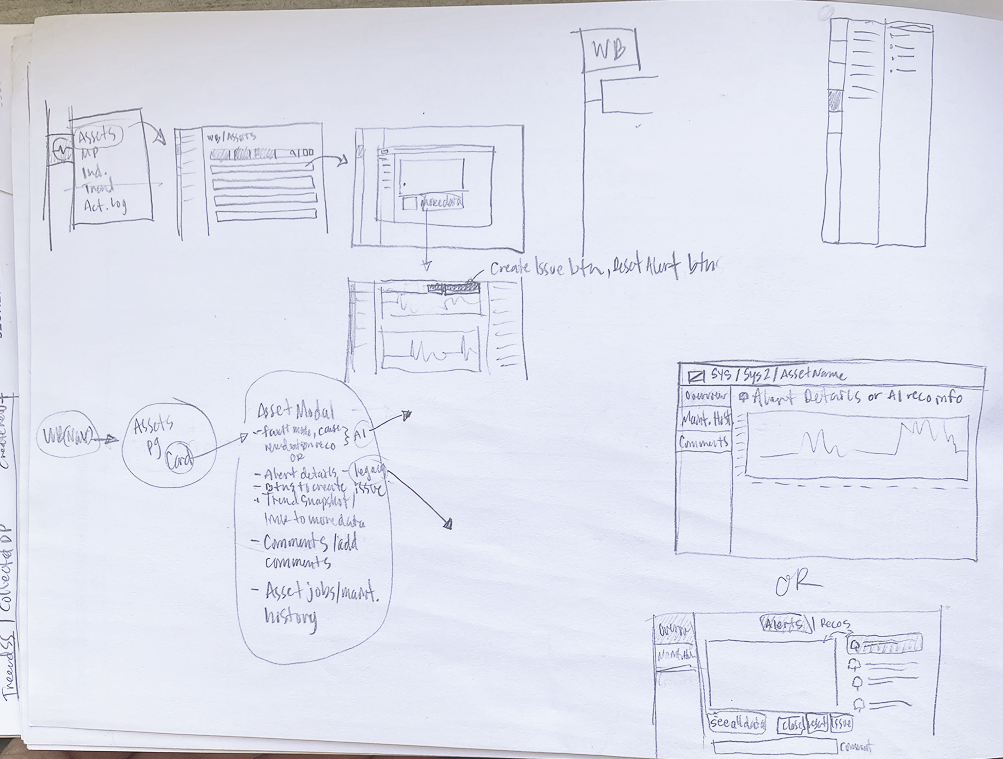
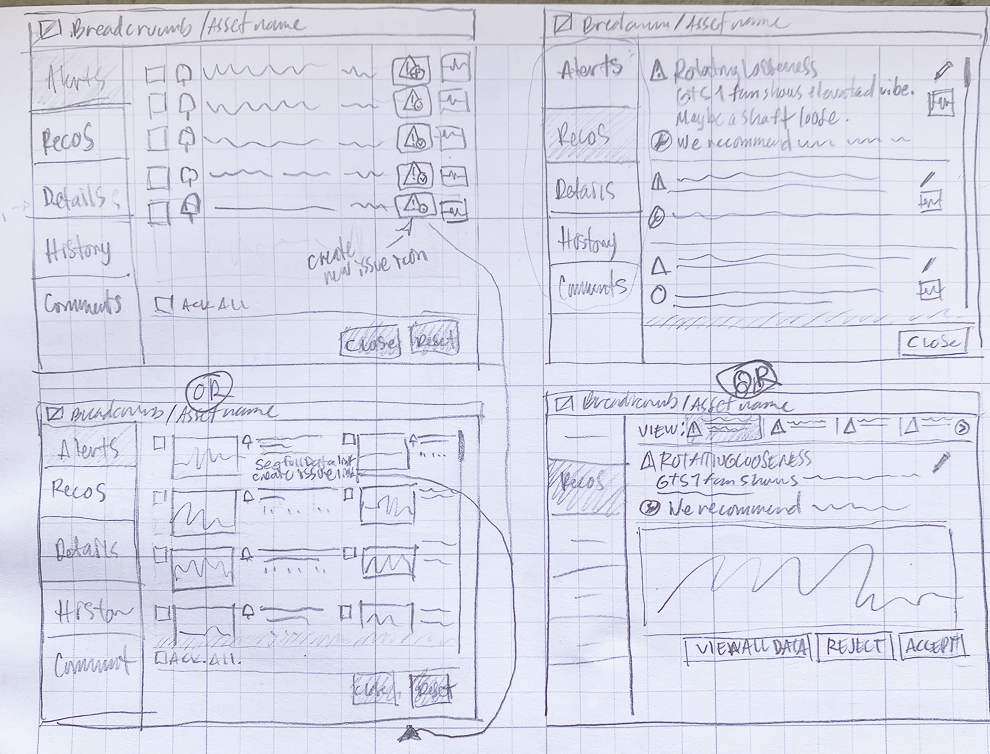
I spent a couple of days sketching different, basic approaches to the experience’s core pages (a few of which are below) and reviewed them with the Product team, Machine Learning team, and two software engineers. Our team discussions answered questions about what would be feasible in terms of tech, scope, and user experience.
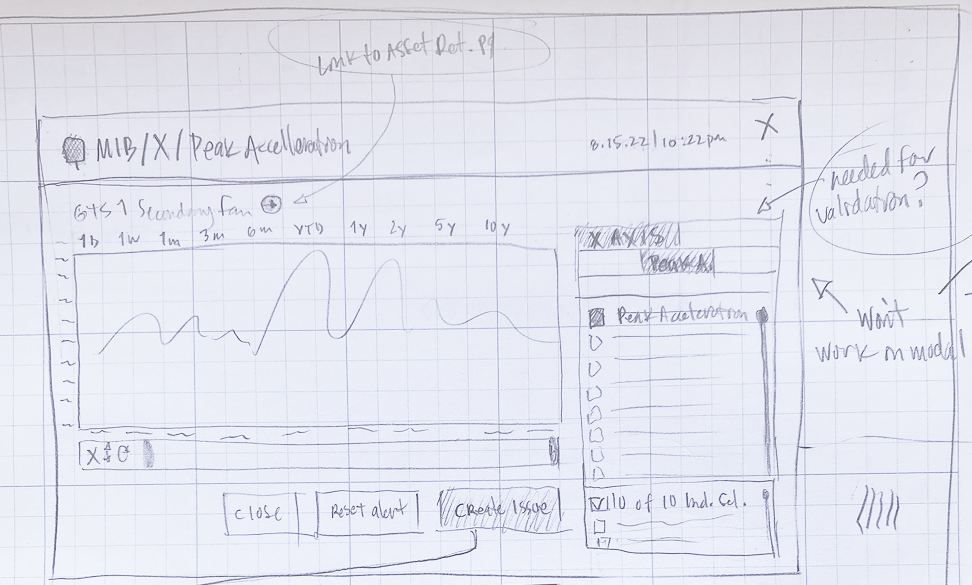
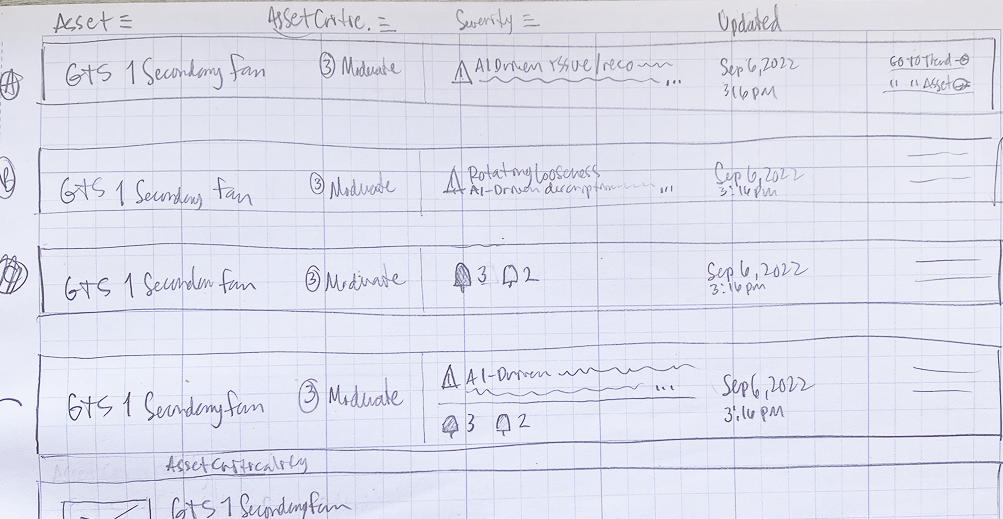
Keeping user-created and AI model-generated Issues consistent
I partnered with our Machine Learning Team as they were developing the DeskAI models to ensure a consistent experience across AI-generated and user-created Issues, including which data points populate, formatting, and character counts.
Designing and testing the concepts
Using the SMARTdiagnostics design system in Figma, I designed and prototyped the initial templates for creating and consuming Issues, reviewing with the Technical Product Owner, UX designer, and software engineers along the way.
Working alongside another UX Designer, I led remote, moderated usability testing sessions with five technical analysts and six plant engineers, creating the test plan, co-recruiting participants, cowriting the moderator scripts (scenarios and questionnaires) and co-creating an insights report to inform my design iterations.
Creating an Issue
Connecting the problem to remediation
Users analyzed equipment data in plots on the Trend page to discover problems, so I used that page as the entry point for creating an Issue. I designed an experience that let users choose who to notify, document problems using standardized fields, open fields for additional context, attach and annotate plots, and comment and reply to each other. This approach would allow team members to:
Be notified that the issue exists.
Be able to understand it.
Be able to communicate about it and manage it in one place once it was published.
Usability testing prototype step 1: user opens modal and fills out fields at right
Usability testing prototype step 2: user can add a plot and annotate it
Usability testing prototype step 3: user sees fields completed and saves Issue
Usability testing key insights and updates:
Participants felt the experience supported their workflow and completed the test with only minor, non-critical errors (81% success rate).
The fields marked required didn’t match user needs.
Description and recommendation character limits were too low.
Users needed the ability to save an issue as a draft.
Generating a generic maintenance task at time of issue creation was desired.
Updates informed by usability testing
When adding a plot, users would include more text than anticipated. Subsequent iterations allow for adding much more text with minimal interference with the plot.
Toggling indicator visibility was unlikely, so I removed that functionality.
Updates informed by usability testing
Consuming an Issue
Making problems more collaborative and easier to understand
I made Desk its own primary navigation section, since it would be central to SMARTdiagnostics and give teams a place to coordinate remediation.
I then designed two prototypes for a comparative usability test, with Variant A listing Issues as expandable rows, and Variant B opening each Issue on a dedicated page. Both aimed to:
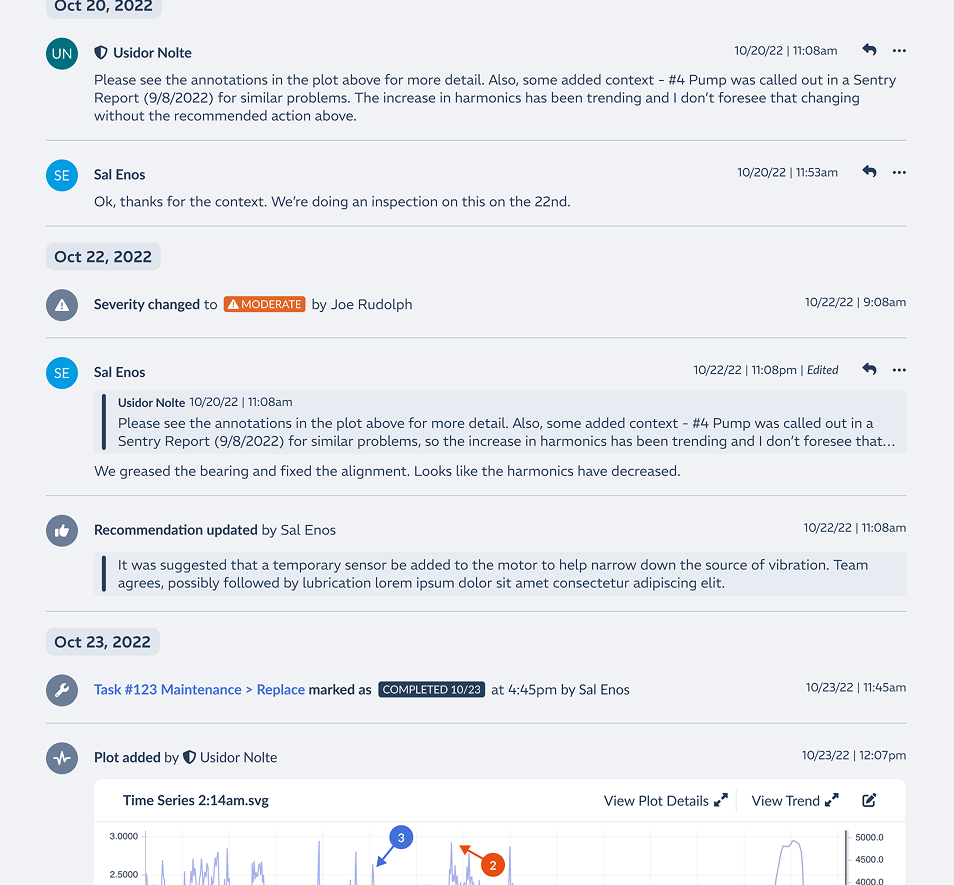
Close communication gaps by having comments and replies be part of the feed/timeline.
Make the evidence understandable for everyone by including natural language descriptions and recommendations, annotated plots, and images.
Show changes to remediation activities, e.g. fault type, status, severity, priority, recommendation, and maintenance task status in the timeline to track the remediation.
Usability testing prototype - Variant A. Issue exists within expandable row. User must accept to edit.
Usability testing prototype - Variant B. Issue exists in dedicated details page. User must accept to edit.
Usability testing key insights and updates:
80% success rate completing the test
Users preferred Variant B because it’s Issue details page provided a dedicated workspace rather than working in an expander, which makes sense as remediating an Issue can take multiple sessions.
One timeline for all Issue activity and comments was preferred for a cohesive remediation narrative.
Most users didn't need to accept or reject user-created Issues.
Recommendations had to be editable as their understanding of the problem evolved.
Users preferred viewing multiple stacked plots instead of a carousel
Users wanted to record monetary and time savings after remediation.
I incorporated these findings and other design and product decisions into subsequent iterations.
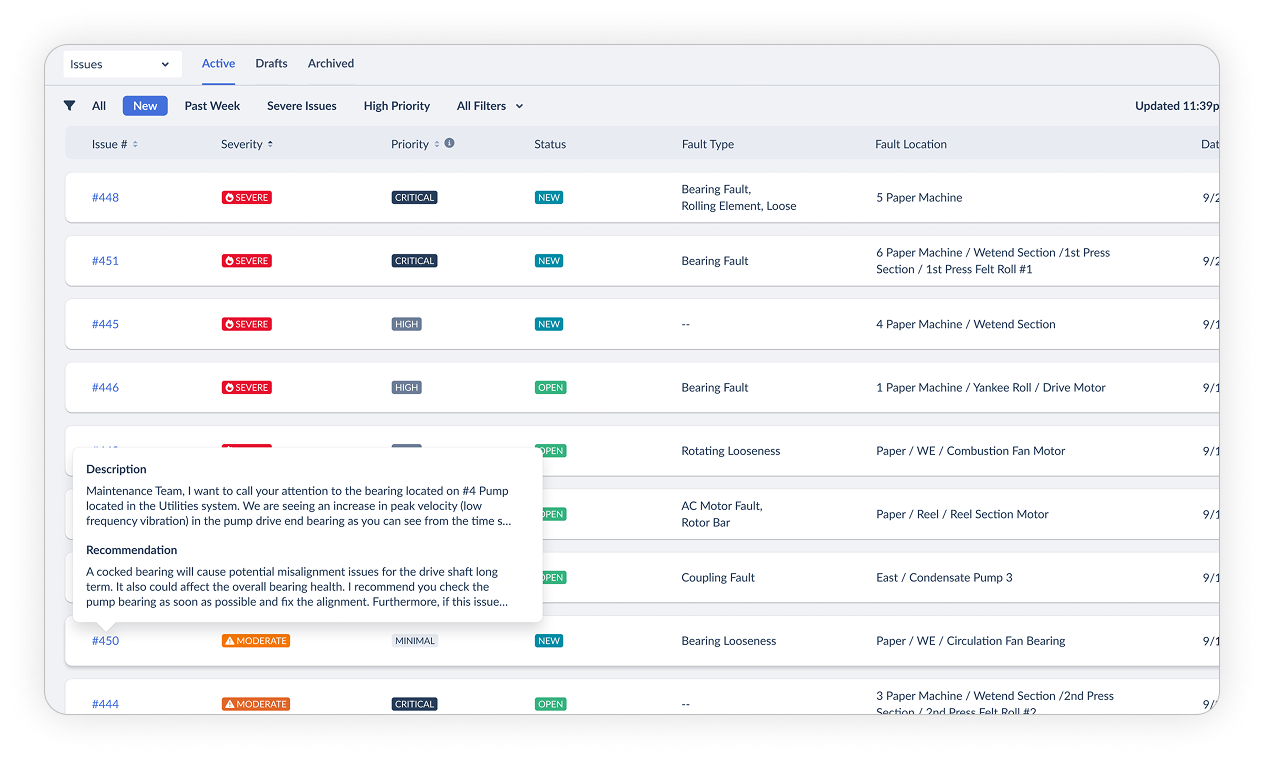
Desk Issue List page
Desk Issue Details page showing full issue remediation lifecycle in the feed.
Outcomes & Results
20%
Increase in SMARTdiagnostics daily active users one month after initial Desk release
8x
ROI within the first year when using Desk
>50%
Reduction in unplanned downtime when using Desk
“It definitely is better than what we’ve been doing for many years for people like me that have almost zero understanding on how to view trends & identify problems.”
Iterative improvements
We continued doing research with users to learn how to improve Desk since it’s first release. Some of the enhancements we’ve made based on our findings include:
Showing Issues in the Workbench Trend and Asset Details sections of the software to give current and historical equipment health context
Showing who last updated an issue to help teams connect dots in their workflow
Creating teams and notifying them when an issue is created, making issue creation more efficient
Showing who has viewed an issue, to assist in communication and general workflow
Showing when new activity for an issue exists and who has viewed it (same reason as above)
Flagging an issue, allowing users to better keep track of their most important Issues
Improved filtering to support multiple use cases not originally identified
Showing if the issue has been verified, which helps build trust in AI model created Issues
I also updated the SMARTdiagnostics design system with KCF Technologies’ new brand identity, retheming the entire product, including Desk.
2026 Issue details page with many of the enhancements (dark mode)
a shift toward generative AI tools
I evolved our research process from sticky notes and affinity maps to one using Claude by creating projects in Claude, uploading session transcripts, using two skills I generated to structure questions and answers, verify accuracy, and then generate a research report listing insights, supporting comments, edge cases, design tasks, and isolated observations. I still note the participant answers in Figjam for comparison with the AI output, which typically makes at least one mistake or misinterpretation. This new process has reduced the time to accurately identify insights from days to hours and is easily scalable for other projects.
Using Figma Agents and creating design systems in Figma Make and Claude Design, I’ve used AI tools to speed up our design and prototyping process by generating interactive concepts with accurate components, styling, and code.
These processes were used in recent design iterations for Desk.