
Problem
SMARTdiagnostics’ Overview page focused on plant-wide metrics for leaders, not the urgent, actionable equipment information engineers and analysts needed. It also steered engineers toward the older alarm-based workflow instead of the more efficient, AI-powered Desk Issues workflow. Monitoring alarms, which were still needed, required at least two applications and included several unnecessary, repetitive steps.
As a result, our core users struggled to prioritize critical problems and resolve them efficiently, increasing the risk of equipment downtime or failure.
My role
I owned end-to-end design, co-defined product strategy with the Technical Product Owner, and partnered with engineering and QA to refine and ship this feature for KCF Technologies’ flagship enterprise product SMARTdiagnostics.
Process
Hearing from SMARTdiagnostics' primary users
Knowing that the current experience was designed for the wrong persona was a start, but it didn't tell us what users actually needed. I conducted 30 discovery interviews across six user groups representing different personas to understand their daily work patterns, goals and motivations, environments, frustrations, and preferences.
Some of the key insights were:
Each day starts with alarms - which new ones have triggered, and for which equipment?
Awareness of new Issues was critical
Activity occuring outside of Desk Issues could fragment a teams’ workflow
Faulty hardware, e.g., sensors, at a plant makes data untrustworthy
Some personas could be deprioritized, an important finding because technical constraints made persona-specific experiences impossible.
Identifying solutions
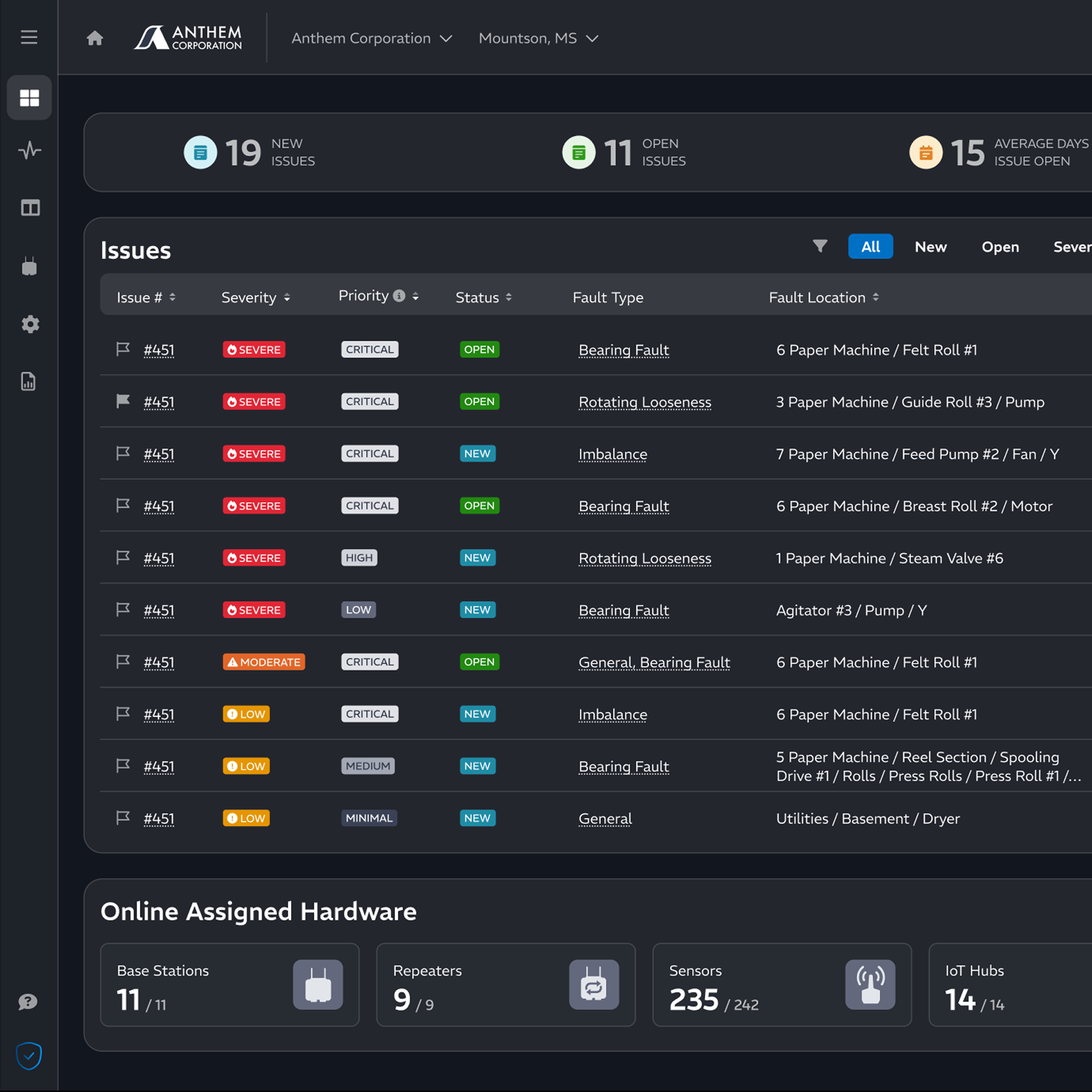
Most of the existing page template was scrapped to address the identified needs. The new one I designed focused on Issues, Alarms, and Hardware.
Updating Alarms
Alarms were often described as “white noise” by the reliability and maintenance engineers and KCF’s technical analysts who most needed support from this page. I decided to consolidate them by the equipment triggering the alarm and rank the equipment by alarm level and recency, which effectively prioritized their alarms, removing significant legwork for them.
I designed two versions and did A/B testing with five people from the persona groups that would be our primary users. In version A, I attempted to solve the problem using only existing patterns used in our software. In version B, I created a new pattern. Participants preferred version B, which consolidated alarms more effectively and made them faster to review. Their feedback also informed changes, including time-based filtering and identifying assets with an existing Issue.
Version A
Version B
Prioritizing Issues over alarms
KCF’s award-winning DeskAI models, trained to recognize developing issues across equipment and generate Desk Issues, reduce the need to review individual alarms. Reviewing 1 Issue might replace the need to review hundreds of individual alarms, speeding up engineers’ workflow while giving much greater context..
Leveraging the Issues table pattern I had already designed for other pages, I prioritized page real estate for Desk Issues. This answered a user need, gave that feature greater visibility, and laid the groundwork for changing engineers’ old habits to a new time-saving one - all in just one widget.
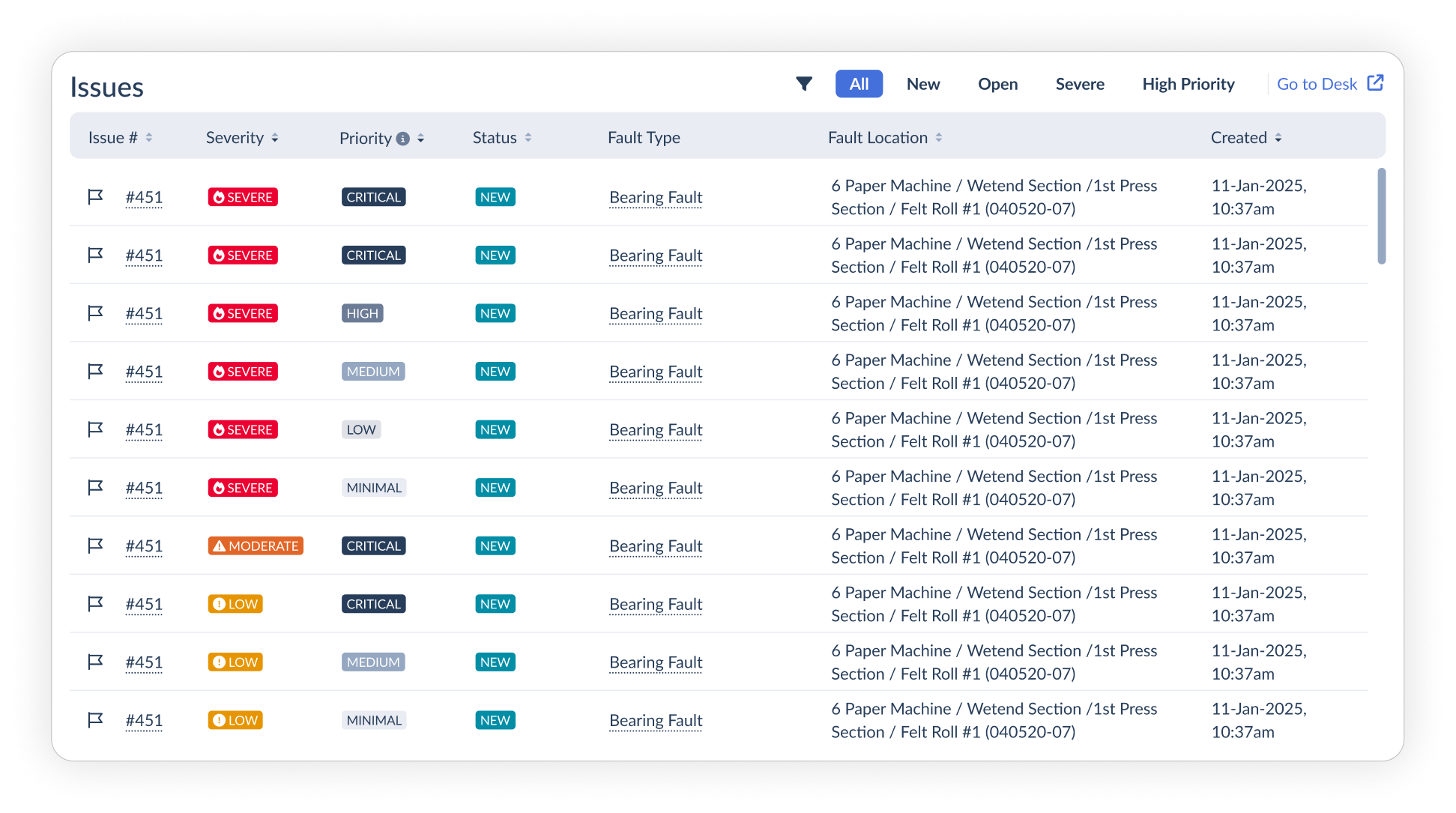
Changes from validation included time gating the issues, showing not just new, but open issues, too, and changing link text to avoid confusion.
Metrics still have a place
One surprise in research was that metrics, albeit different ones, were still of value. I designed a small widget that used very little space to aggregate overview data and KPIs that were deemed useful. This gave engineers a quick read on the state of their plant, and information for them to demonstrate the value of their team’s work.
Outcomes & Results
82%
User satisfaction
65%
Increase in user engagement
Two and a half years after its release, interviews with 24 users across four persona groups confirmed that the revamped Overview page remained the preferred choice over two newer experiences introduced to the software.
“It makes sense and it looks good and it’s a direction that I think works well for the software.”